Entrances
Stock that fills in as it arrives
Each piece's stock meter fills in once the store's count arrives, and says when it has settled. Switch to after the delivery and they fill up from where they are.
The store's count
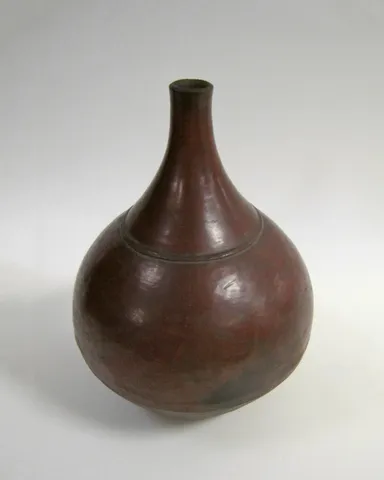 Ember Bottle Vasefilling…
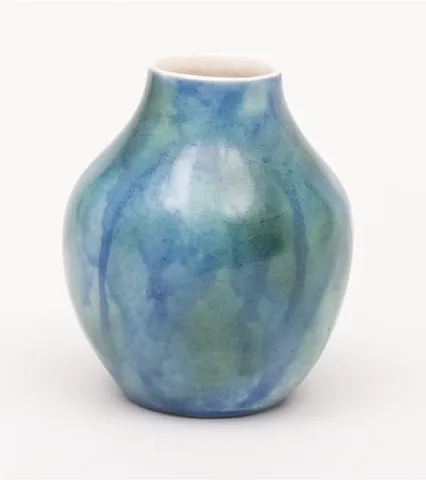 Lagoon Vasefilling…
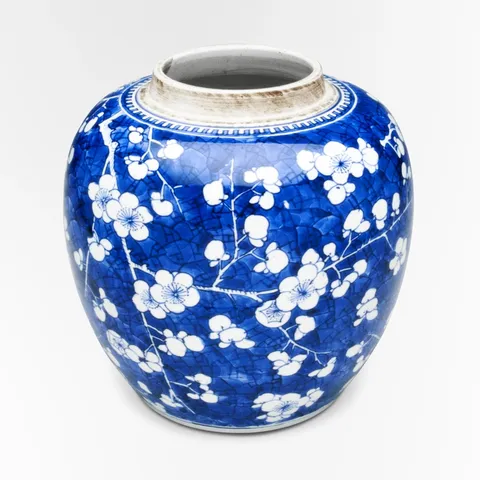 Blossom Ginger Jarfilling…
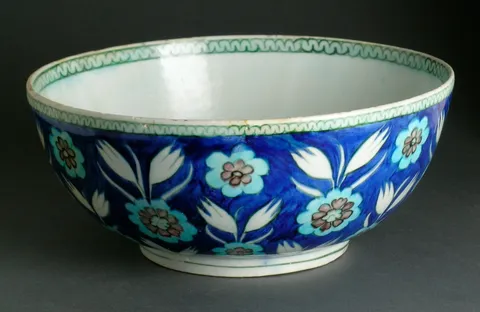 Tulip Bowlfilling…
Reduced motion: The bars are at their level at once, Wardic's reduced motion snapping their scale, and each label shows its count straight away.
Why
A meter that fills to its level says more than a number alone, and one that waits for the real count before it fills never shows a guess. Switch to after the next delivery and each bar grows from where it was, so you see what the delivery brings.
On Solid 2 the count is an async memo over the store's server function, and each bar's animate reads it. Under <Loading> the meters wait as a skeleton until the first count lands, then fill from initial. A later count keeps the bars where they are until it lands, with no flash of the skeleton, and isPending says the store is being checked. The label beside each bar reads the bar's ward: isPending(() => bar.settled()) holds while its animation runs ("filling…"), and the count shows once it has landed.
On Solid 1, createAsync reads the count under <Suspense>, a switch runs in a transition so the bars stay while the next count loads, and each bar says when it's done through onAnimationStart and onAnimationComplete, setting a signal. Solid 2 reads both from what it already has: the wait is the memo's, and "animating" is settled() pending. Try the header's delay to watch the wait.
The code
On Foldkit the switch is a Command that asks the store (Shop.getStock), the bars kept until it answers, and each bar's w.OnAnimationStart and w.OnAnimationComplete send Messages that set its label.
import { PRODUCTS } from "@wardic/example-storefront-shared/catalog"
import { photoOf } from "@wardic/example-storefront-shared/images"
import * as Effect from "effect/Effect"
import * as Schema from "effect/Schema"
import * as Command from "foldkit/command"
import { defineMessageUnion } from "foldkit/message"
import { defineView } from "foldkit/submodel"
import { problemLine } from "~/lib/view.ts"
import { wardic } from "~/lib/wardic.ts"
import { definePage, type PageEnv } from "~/page.ts"
import { Shop, StockWhen } from "~/shop.ts"
import { textOf } from "~/shop/text.ts"

/** A shelf holds eight of a piece: a full meter. */
const SHELF = 8

const PIECES = PRODUCTS.filter((product) => ["blossom-jar", "bottle-vase", "tulip-bowl", "lagoon-vase"].includes(product.id))

const FILL = { type: "spring", stiffness: 140, damping: 22 } as const

const Levels = Schema.Record(Schema.String, Schema.Number)
const Data = Schema.Struct({ levels: Levels })
// Each piece's count, from the store; `checking` while the next count is on its way, the bars kept
// meanwhile, as Solid's transition keeps them; `filling` for each bar between its start and its landing.
const Model = Schema.Struct({ when: StockWhen, levels: Levels, checking: Schema.Boolean, filling: Schema.Array(Schema.String), problem: Schema.NullOr(Schema.String) })
type Model = typeof Model.Type
const Message = defineMessageUnion({
  Choose: { when: StockWhen },
  Counted: { when: StockWhen, levels: Levels },
  Failed: { reason: Schema.String },
  FillStart: { id: Schema.String },
  FillEnd: { id: Schema.String },
})
type Message = typeof Message.Type

/** The store's count for `when`; a newer choice interrupts an older count. */
const Count = Command.define("StockCount", {
  args: { when: StockWhen },
  messages: [Message.Counted, Message.Failed],
  interrupt: true,
  execute: ({ when }) =>
    Shop.use((shop) => shop.getStock(when)).pipe(
      Effect.map((levels) => Message.Counted({ when, levels })),
      Effect.catch((error) => Effect.succeed(Message.Failed({ reason: textOf(error) }))),
    ),
})

const view = defineView<Model, Message, PageEnv>((model, _env, h) => {
  const w = wardic.html(h)
  const label = (id: string): string => (model.filling.includes(id) ? "filling…" : `✓ ${model.levels[id] ?? 0} left`)
  return h.div([h.Class("stock")], [
    h.div([h.Class("stock-head")], [
      h.div([h.Class("segmented"), h.Role("group"), h.AriaLabel("When")], [
        h.button([h.AriaPressed(String(model.when === "now")), h.OnClick(Message.Choose({ when: "now" }))], ["Now"]),
        h.button([h.AriaPressed(String(model.when === "delivery")), h.OnClick(Message.Choose({ when: "delivery" }))], ["After the delivery"]),
      ]),
    ]),
    h.p([h.Class("stock-status muted"), h.AriaLive("polite")], [model.checking ? "Checking the store…" : "The store's count"]),
    h.ul(
      [h.Class("stock-list")],
      PIECES.map((piece) =>
        h.li([h.Class("stock-row")], [
          h.img([h.Src(photoOf(piece.id).small), h.Width("48"), h.Height("48"), h.Alt("")]),
          h.span([h.Class("name")], [piece.name]),
          h.span([h.Class("meter")], [
            // Foldkit hears the bar's animation through its Messages: one starts, one lands.
            w.span([h.Class("meter-fill"), w.Initial({ scaleX: 0 }), w.Animate({ scaleX: (model.levels[piece.id] ?? 0) / SHELF }), w.Transition(FILL), w.OnAnimationStart(Message.FillStart({ id: piece.id })), w.OnAnimationComplete(Message.FillEnd({ id: piece.id }))]),
          ]),
          h.span([h.Class("stock-label")], [label(piece.id)]),
        ]),
      ),
    ),
    ...problemLine(h, model.problem),
  ])
})

export default definePage({
  id: "stock",
  Data,
  Model,
  Message,
  load: Effect.map(Shop.use((shop) => shop.getStock("now")), (levels) => ({ levels })),
  init: ({ levels }): Model => ({ when: "now", levels, checking: false, filling: PIECES.map((piece) => piece.id), problem: null }),
  update: (model, message) =>
    Message.match(message, {
      Choose: ({ when }) => ({ model: { ...model, when, checking: true, problem: null }, commands: [Count({ when })] }),
      Counted: ({ when, levels }) => ({ model: when === model.when ? { ...model, levels, checking: false } : model }),
      Failed: ({ reason }) => ({ model: { ...model, checking: false, problem: reason } }),
      FillStart: ({ id }) => ({ model: { ...model, filling: model.filling.includes(id) ? model.filling : [...model.filling, id] } }),
      FillEnd: ({ id }) => ({ model: { ...model, filling: model.filling.filter((one) => one !== id) } }),
    }),
  view,
})