With a component library
Sort the shop with Foldkit UI's listbox
Pick an order: the list grows out of its button, and the pieces slide to their new places.
The shop
- Moon Vase$148
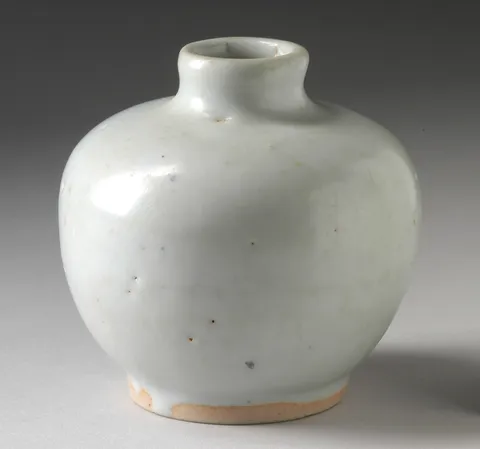
- Ember Bottle Vase$96

- Lagoon Vase$132
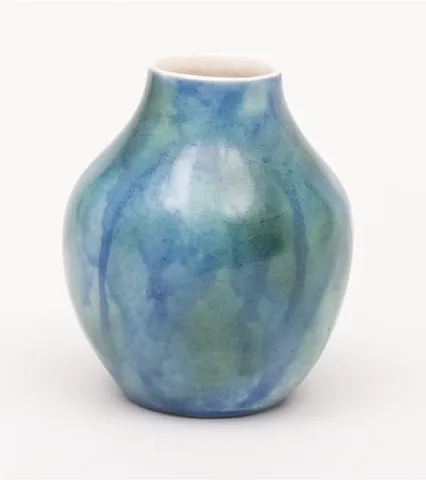
- Blossom Ginger Jar$164
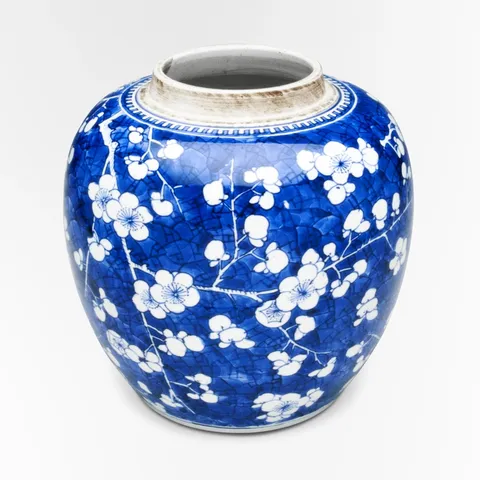
- Brushstroke Jug$88

- Faceted Carafe$120

- Celadon Fluted Dish$76
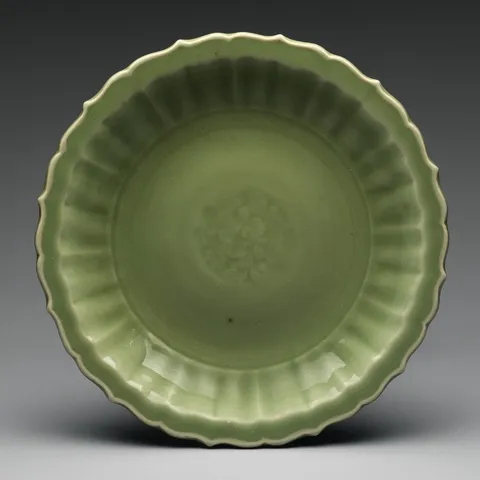
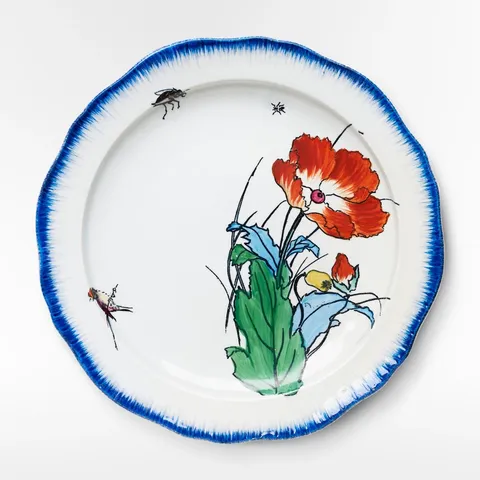
- Poppy Plate$54
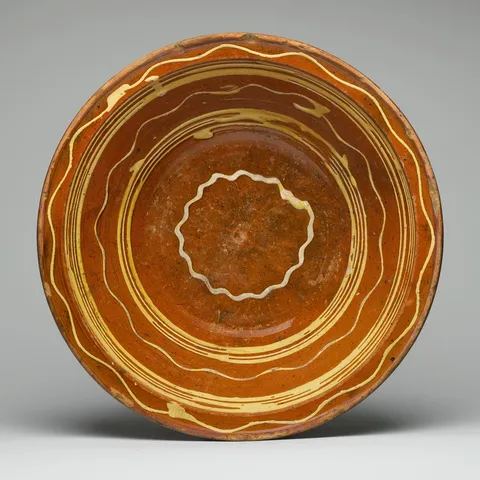
- Slipware Dish$68
- Tulip Bowl$92

- Porcelain Bowl$48

- Celadon Cone Bowl$58


Reduced motion: The list fades in and out without growing, and the pieces move to their places at once.
Why
A select is a list that opens from a button, which the keyboard must reach and walk, with the chosen option announced. Kobalte's Select does that, and places the list against its button. Wardic grows the list from the edge it opens from: Kobalte writes that edge into --kb-select-content-transform-origin, and the list's transform-origin reads it. So it grows down from the button, or up when there's no room below.
w.create(Select.Content) gives Kobalte's list the motion props, and forceMount with Wardic's <AnimatePresence> lets it shrink back before it goes. Choosing an order re-sorts the pieces, each a layout card. A re-sort moves them without resizing any, so it's declared to Wardic with animateLayout, and they slide to their places as the list closes.
On Solid 2 it's Kobalte 2.0, still an alpha: the console shows its own development warnings.
The code
On Foldkit the select is @foldkit/ui's Listbox, which renders its button and its list itself and anchors the list with a Mount of its own. An element has one Mount on Foldkit, so the list isn't a w.* element: it grows and shrinks by the stylesheet's transitions on the library's attributes, data-closed as it enters and leaves and data-placement for the edge it opens from (and fades alone under the system's reduced motion). Wardic's part is the button's press, through the Bundle (w.attributes), and the pieces: the order picked re-sorts them, declared with Wardic.animateLayout, so they slide as the list closes.
import { Listbox } from "@foldkit/ui"
import { formatPrice } from "@wardic/example-storefront-shared/format"
import { photoOf, srcsetOf } from "@wardic/example-storefront-shared/images"
import { Product } from "@wardic/example-storefront-shared/server"
import * as Effect from "effect/Effect"
import * as Option from "effect/Option"
import * as Schema from "effect/Schema"
import * as UndefinedOr from "effect/UndefinedOr"
import * as Command from "foldkit/command"
import { childAttributes, type Html, type HtmlBuilder } from "foldkit/html"
import { defineMessageUnion } from "foldkit/message"
import { defineView } from "foldkit/submodel"
import type * as Update from "foldkit/update"
import { Wardic } from "@wardic/foldkit"
import { wardic } from "~/lib/wardic.ts"
import { definePage, type PageEnv, type PageReturn } from "~/page.ts"
import { Shop } from "~/shop.ts"

const ORDERS = ["Featured", "Price, low to high", "Price, high to low", "Name"] as const
const Order = Schema.Literals(ORDERS)
type Order = typeof Order.Type

// The library's listbox, bound to the orders: it renders its button and its list, keeps the keyboard
// and the roles, and tells the page the order picked. The list it renders and anchors itself, with a
// Mount of its own, and an element has one Mount on Foldkit: so the list isn't a `w.*` element, and
// grows and shrinks by the stylesheet's transitions on the library's attributes (`data-closed`,
// `data-placement`). The button has no Mount of the library's, so Wardic's reach it through the Bundle.
const Sort = Listbox.create<Order>()

/** `pieces` in `order`: they come featured first. */
const sortedBy = (pieces: ReadonlyArray<Product>, order: Order): ReadonlyArray<Product> => {
  if (order === "Price, low to high") return [...pieces].sort((a, b) => a.price - b.price)
  if (order === "Price, high to low") return [...pieces].sort((a, b) => b.price - a.price)
  if (order === "Name") return [...pieces].sort((a, b) => a.name.localeCompare(b.name))
  return pieces
}

const Data = Schema.Struct({ pieces: Schema.Array(Product) })
const Model = Schema.Struct({ pieces: Schema.Array(Product), order: Order, sort: Listbox.Model })
type Model = typeof Model.Type
const Message = defineMessageUnion({ Sort: { message: Listbox.Message }, Resorted: {} })
type Message = typeof Message.Type

/**
 * A re-sort moves the pieces without resizing any, and nothing else tells them they've moved:
 * declare it, so each slides from where it is to its new place as the list closes (`Wardic.animateLayout`).
 */
const AnimateSort = Command.define("SortAnimateLayout", {
  messages: [Message.Resorted],
  execute: Wardic.animateLayout().pipe(
    Effect.as(Message.Resorted()),
    Effect.catch(() => Effect.succeed(Message.Resorted())),
  ),
})

/** The library's step, folded: its Model kept, its Commands wrapped as the page's, and the order it picked taken, the re-sort declared. */
const folded = (model: Model, step: Update.ReturnWithOutMessage<Listbox.Model, Listbox.Message, Listbox.OutMessage<Order>>): PageReturn<Model, Message> => {
  const commands = Command.mapMessages(step.commands, (message) => Message.Sort({ message }))
  return UndefinedOr.match(step.outMessage, {
    onUndefined: () => ({ model: { ...model, sort: step.model }, commands }),
    onDefined: ({ value }) => ({ model: { ...model, sort: step.model, order: value }, commands: [...commands, AnimateSort()] }),
  })
}

const card = (h: HtmlBuilder<Message>, piece: Product): Html => {
  const w = wardic.html(h)
  const photo = photoOf(piece.id)
  return w.keyed("li")(piece.id, [h.Class("shop-item"), w.Layout()], [
    h.div([h.Class("photo")], [h.img([h.Src(photo.small), h.Srcset(srcsetOf(photo)), h.Sizes("(max-width: 640px) 50vw, 240px"), h.Width(String(photo.width)), h.Height(String(photo.height)), h.Alt(piece.name)])]),
    h.span([h.Class("name")], [piece.name]),
    h.span([h.Class("price")], [formatPrice(piece.price)]),
  ])
}

const view = defineView<Model, Message, PageEnv>((model, _env, h) => {
  const w = wardic.html(h)
  return h.div([], [
    h.div([h.Class("sort-head")], [
      h.h2([], ["The shop"]),
      h.submodel({
        slotId: "sort",
        model: model.sort,
        view: Sort.view,
        viewInputs: {
          items: ORDERS,
          maybeSelectedValue: Option.some(model.order),
          itemToConfig: (order) => ({ className: "select-item", content: h.span([], [order]) }),
          ariaLabel: "Sort by",
          buttonClassName: "select-trigger",
          buttonContent: h.span([], [h.span([h.Class("muted")], ["Sort by"]), ` ${model.order} `, h.span([h.AriaHidden(true)], ["⌄"])]),
          // The Bundle, `w.attributes`: Wardic's attributes for an element the library renders, its button's press.
          buttonAttributes: childAttributes(w.attributes({ whileHover: { y: -1 }, whileTap: { scale: 0.97 } })),
          itemsClassName: "select-list",
          // From the button's right edge, where it sits in the head; the stylesheet's transform-origin follows the placement the library writes.
          anchor: { placement: "bottom-end", gap: 6 },
        },
        toParentMessage: (message) => Message.Sort({ message }),
      }),
    ]),
    h.ul([h.Class("shop-items"), h.DataAttribute("view", "grid")], sortedBy(model.pieces, model.order).map((piece) => card(h, piece))),
  ])
})

export default definePage({
  id: "sort-by",
  Data,
  Model,
  Message,
  load: Effect.map(Shop.use((shop) => shop.listProducts(null)), (pieces) => ({ pieces })),
  // Animated by the library: it keeps the list on the page while the stylesheet's transition plays.
  init: ({ pieces }): Model => ({ pieces, order: "Featured", sort: Listbox.init({ id: "sort-by", isAnimated: true }) }),
  update: (model, message) =>
    Message.match(message, {
      Sort: ({ message }) => folded(model, Sort.update(model.sort, message)),
      Resorted: () => ({ model }),
    }),
  view,
})